Windows 11's 2025 Features: A Mixed Bag for Users
हिंदी में सुनें
Listen to this article in Hindi
Explore the noteworthy features of Windows 11 in 2025, including improvements that enhance user experience and system performance.
In 2025, Microsoft released its annual update for Windows 11, version 25H2, which many found lacking in significant new features. That said, the reality is a bit more complicated. the operating system continued to evolve through a series of interim updates that introduced enhancements for all users, even if many standout features were tied to advanced hardware like neural processing units (NPUs). This analysis highlights twelve noteworthy updates that can enhance the Windows experience for a broad spectrum of users, regardless of their hardware capabilities.
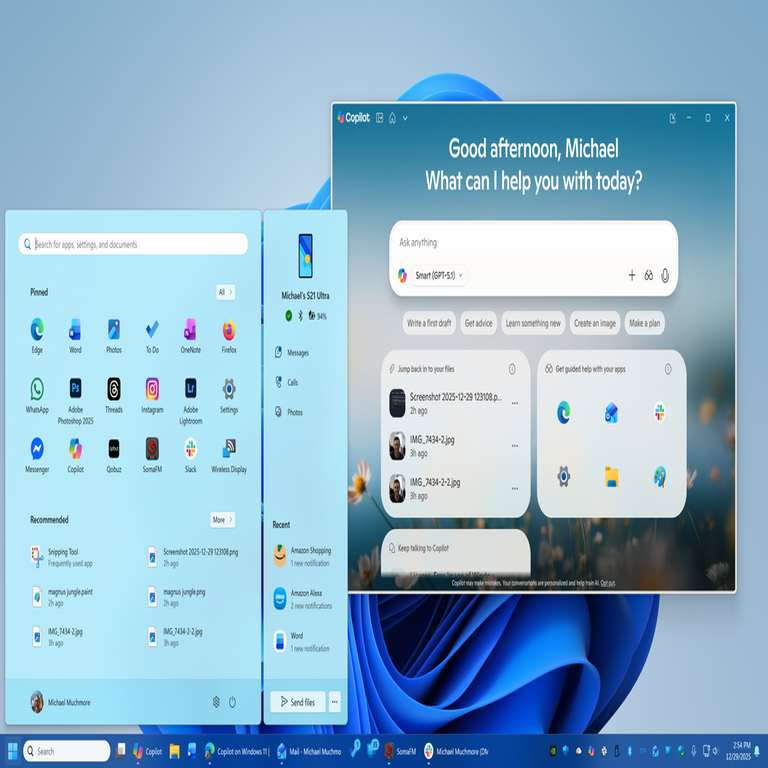
Among the most impactful features is Copilot Vision with Highlights. This tool integrates AI capabilities into various applications, allowing users to perform complex tasks with ease. For instance, in software such as DaVinci Resolve, users can engage in a conversational manner with Copilot to receive instructions and insights, making advanced functionalities more accessible. This not only represents a step forward in user interface design but also illustrates the growing importance of AI in everyday computing.
Another important aspect of the 2025 features is the improved performance of Windows on Arm-based devices. As devices with Arm processors become more prevalent, these enhancements ensure that users are not left behind in terms of speed and efficiency. This trend signals a shift in the computing landscape, where Arm architecture is gaining traction, especially in mobile and hybrid devices, compelling Microsoft to optimize Windows for this ecosystem.
The ongoing migration of settings from the traditional Control Panel to the modern Settings app is also a welcome change, contributing to a more streamlined user experience. This consistency is vital for users who may find the historical Control Panel cluttered and confusing. By consolidating settings, Windows is making it easier for users to navigate and customize their systems, which is particularly relevant as more users adapt to remote work environments.
For those eager to access the latest features, Microsoft has made it clear that updates are rolled out in phases. Users can ensure they receive the latest enhancements by enabling settings in the Windows Update menu. This strategy reflects a broader trend among software developers to stagger updates, which can help manage server loads and ensure a smoother rollout, but it also means that not all users will experience the same updates simultaneously.
Despite some minor features not making the cut for this analysis, such as the updated Start menu, it’s evident that Windows 11 is focusing on refining user experience through thoughtful updates. The inclusion of AI tools like Copilot, performance improvements for Arm devices, and the steady transition to a more user-friendly settings interface are indicative of Microsoft's commitment to maintaining relevance in a rapidly evolving technological landscape.
So where does that leave things? while the feature set of Windows 11's 25H2 update may not have been groundbreaking, the cumulative effect of these enhancements suggests a platform that is maturing and adapting to meet user needs. As the ecosystem expands with new hardware and software demands, these improvements will likely play a crucial role in how users interact with their devices in everyday tasks.
Editor's note: This article was independently written by the Scoopliner Editorial Team using publicly available information.